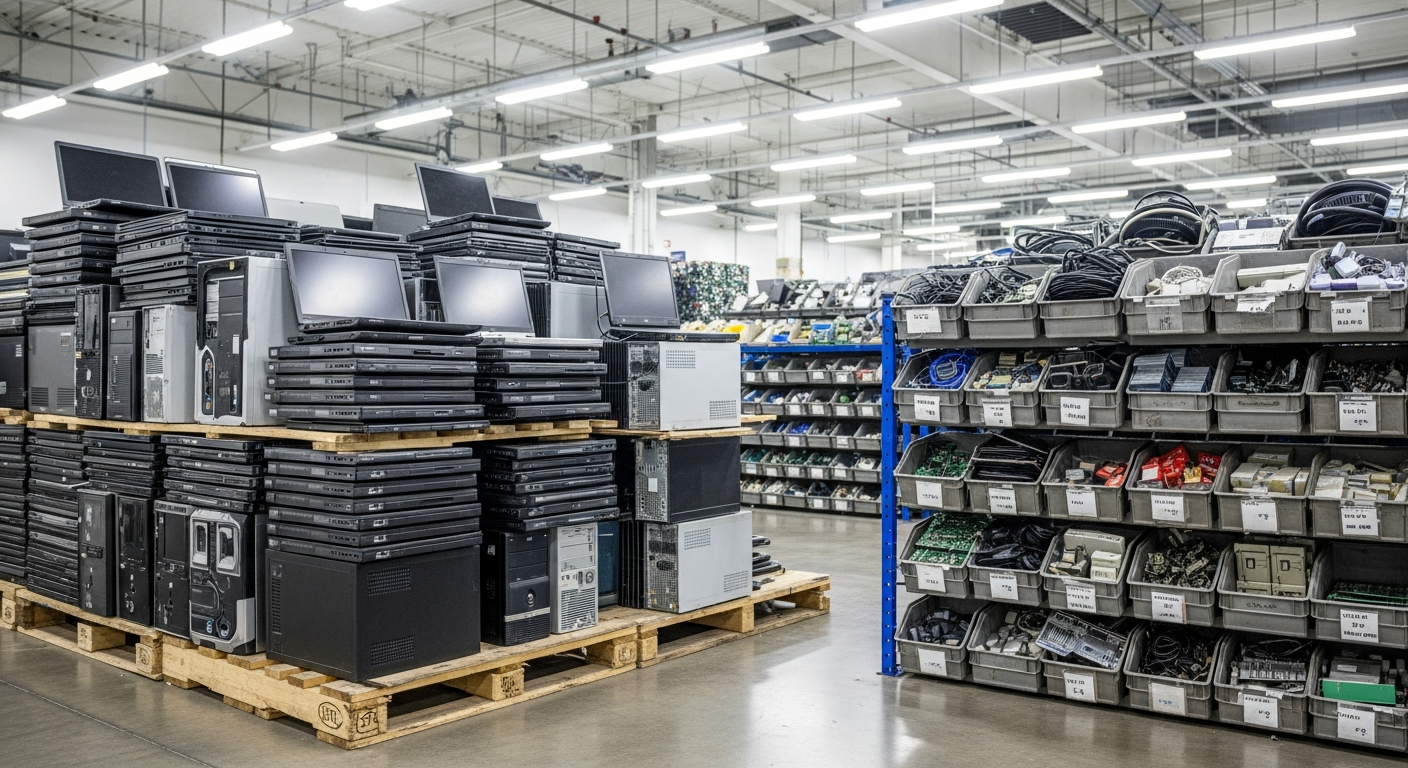
Computer Recycling in Overland Park, KS
Retire office desktops, laptops, and monitors from Johnson County with each drive that held personal information sanitized and documented for your Kansas records. Free pickup for qualifying business volumes is one call away, and we process the equipment at our secure Lincoln, Nebraska facility. Request a free quote today.
What Does Business Computer Recycling in Overland Park Cover?
Computer recycling in Overland Park is the retirement of business desktops, laptops, all-in-ones, and monitors, with each drive that held data sanitized or destroyed before the hardware is recycled. Precision E-Cycle scopes pickup for organizations across Johnson County through our Overland Park sales office, with processing at our secure Lincoln, Nebraska facility.
IT and office managers clearing out a refresh, move, or consolidation usually find county guidance written for households, with nothing on drive data. KDHE does not ban computers from Kansas landfills. The real driver is K.S.A. 50-6,139b: a holder of personal information must destroy records it no longer intends to keep, including those on a retired desktop.
What Does a Documented Computer Recycling Project Give a Johnson County Office?
Evidence for your Kansas records policy
K.S.A. 50-6,139b gives a holder an affirmative defense when it maintains a documented records management policy with trained staff. Transfer and destruction records show that policy reached the computers you retired, though the defense still rests on your own program.
Effort focused where the data was
Sorting the batch by what each machine held keeps monitors and peripherals out of the sanitization queue and puts the attention on HR, payroll, and billing drives, where the Kansas definition of personal information most often applies.
A starting file for vendor due diligence
Buyers comparing computer recyclers tend to ask first where the hardware goes downstream and what paperwork comes back. Precision's ISO 27001 certification, chain of custody records, and certificate of destruction give an Overland Park employer material for that review.
Request Service
Ready to Recycle?
Pickup is free for qualifying business volumes. Schedule yours or contact us with questions.
Related Services
How Does an Overland Park Computer Recycling Project Run?
Count and classify the batch
List the desktops, laptops, all-in-ones, and monitors leaving your Overland Park office, with serial numbers where you have them. Flag machines used for HR, payroll, billing, or customer accounts, because those are the most likely to hold Kansas-defined personal information.
Project review and pickup scope
The review confirms which items are accepted, how free pickup is scoped for your batch on the Kansas side of the metro, and which records you will receive. Open items such as CRT monitors or loose batteries are settled here, before anything is packed.
Pickup against your count
On pickup day the computers are counted against your list and leave under a transfer record signed by your contact. NIST SP 800-88 Rev. 2 treats a hand-off to a recycler as a change in media control, so that signature marks where your custody ends.
Sanitization, recycling, and records
At our Lincoln facility each drive is sanitized or destroyed by a method matched to its media type and the data it held. The hardware then goes to R2-certified downstream processors for materials recycling, and the records come back for your Kansas file.
Which Computers in a Refresh Batch Need Drive-Level Records?
Only the desktops, laptops, and all-in-ones that stored data need drive-level records in an Overland Park computer recycling batch. Monitors, keyboards, mice, and cables carry no user files and go straight to materials recycling. Precision E-Cycle sorts the batch first, so sanitization effort and records land on the machines that carried personal information.
Which machines are likely to hold Kansas-defined personal information?
The Kansas definition is narrower than offices expect. Under K.S.A. 50-7a01(g), personal information is a name linked to an unencrypted, unredacted Social Security number, driver's license or state ID number, or financial account or card number with any required access code. Every laptop deserves sanitization, but the machines that held those pairings are the ones your disposal record must cover.
Does full-disk encryption change anything? It changes the legal picture more than the handling, because the Kansas definition covers unencrypted, unredacted data. NIST still expects media leaving your control to be sanitized, and in a mixed batch the one desktop that was never enrolled in encryption is easy to miss.
See the computers and monitors Precision accepts
What records should you ask for when the batch leaves?
- A transfer record signed by your contact at pickup
- A count of computers and monitors matched to your inventory list
- Serial numbers for each data-bearing desktop, laptop, and all-in-one
- The sanitization method for each drive: clear, purge, or destroy
- A certificate of destruction for the drives in the batch
- The destination of the hardware after sanitization
NIST SP 800-88 Rev. 2 section 4.6 describes a per-item certificate recording manufacturer, model, serial number, media type, method, technique, tool, verification, and who did the work. Precision logs serial numbers at intake and agrees its certificate fields and format with you before pickup. Reviewers typically expect every data-bearing serial on your inventory to match a destruction record.
What a Kansas-side certificate of destruction should show
The Overland Park Chamber's 2025 Johnson County employer list, from county estimates, is led by HCA Midwest Health at about 5,000 full-time employees and The University of Kansas Health System at about 4,000. Clinic and billing computers in that health care cluster often hold patient account details, so the sort above decides how much of a refresh needs drive-level records.
Overland Park data destruction for drives and storage media
Key takeaway
Sort first, then sanitize: each data-bearing drive gets a method and a record, while monitors and peripherals go straight to materials recycling.
Does Kansas Regulate How a Johnson County Business Recycles Computers?
Not the hardware itself. KDHE Bureau of Waste Management Policy 05-02 says state laws and regulations do not specifically address e-waste disposal, names personal computers as the largest volume of e-waste, and approves permitted municipal solid waste landfills for all generators. It still ranks equipment reuse first, materials recycling second, and landfill disposal last.
The binding Kansas duty is about data. Unless federal law requires otherwise, K.S.A. 50-6,139b requires a holder of personal information to destroy records it no longer intends to keep by shredding, erasing, or otherwise modifying them "to make it unreadable or undecipherable through any means." That reaches UnitedHealth Group, with about 3,000 county employees, and a five-person accounting office alike.
How each Kansas and federal source applies to a computer batch
Two affirmative defenses in subsection (c)
K.S.A. 50-6,139b(c) offers two defenses: a destruction method that failed despite reasonable care in selecting and using it, or a good faith error by trained employees under a written records management policy. Write the computer disposal step into that policy, and keep the transfer record and certificate of destruction as evidence of the policy and of the method you chose.
Precision holds ISO/IEC 27001:2022, ISO 14001:2026, ISO 9001:2015, and ISO 45001:2018. Materials leaving Lincoln for recycling go to R2-certified downstream processors, the kind of third-party certified recycler the U.S. EPA encourages. Those facts and the project records support the due diligence 16 CFR 682.3(b)(3) describes, such as reviewing a disposal company's independent audits, references, and security policies.
Consumer report information brings in the FTC Disposal Rule, which reaches employers that run background checks, insurers, and landlords that pull credit reports. Its example (b)(2) calls for policies requiring electronic media to be destroyed or erased so the information "cannot practicably be read or reconstructed." Precision's documentation supports that obligation; it does not satisfy it on its own.
What NIST SP 800-88 Rev. 2 adds for desktops and laptops
- Media leaving your control by donation, transfer, or recycling should be sanitized so no reconstructible sensitive data remains
- Section 4.3.3: when a computer will not be reused, destroying its media can be the simplest method
- Section 4.3.4: media control changes when a device is returned from a lease, donated, resold, or sent to a recycling facility
- Section 3.1: shredding and pulverizing should be avoided for anything but the lowest security categories of data, and degaussing is not an approved destroy technique
Precision's data destruction methods are informed by NIST SP 800-88, and each drive's method follows its media type and the sensitivity of what it held. A spinning drive from a payroll desktop and the solid state storage in a thin laptop do not call for the same technique. We confirm the method for your batch with you before pickup.
The metro straddles the state line, and much of the recycling guidance a Johnson County office finds is written for the Missouri side. Check a plan for Overland Park or Kansas City, Kansas offices against the Kansas statutes and KDHE guidance above.
Finance, lending, and insurance electronics disposal
Key takeaway
Kansas does not dictate where a retired computer goes, but it does expect reasonable steps to destroy the personal information on it. Precision's records support your policy and vendor review; they do not replace them.
How Should an Overland Park Office Prepare Computers for Pickup Day?
Start with a business vendor and records plan, since Johnson County's electronics recycling options serve households. The county points residents to retail and third-party options, Olathe takes electronics only from its own residents, and Overland Park's twice-yearly Recycling Extravaganza serves households. An office searching for computer recycling near Overland Park needs scheduled business pickup and drive records, which Precision provides.
Business batches usually come from a refresh, an office move, or a consolidation after a lease ends. Logistics employers such as Shamrock Trading, at about 2,355 full-time employees in the Chamber's 2025 estimates, can retire whole floors of desktops in one relocation. Sort for data before the movers arrive, so in-scope drives do not land in an unowned storage room.
Before the pickup
- Export the asset list for every desktop, laptop, all-in-one, and monitor leaving the building
- Mark the machines used for HR, payroll, billing, or customer accounts
- Retire each machine from device management and directory accounts
- Keep power cords with their computers and bundle loose cables separately
- Stage the batch in one secured room with a single point of contact
- Name the person who will sign the transfer record at pickup
Keeping some laptops for redeployment?
Pull them before the pickup list is final and sanitize them under your own process. KDHE ranks reuse ahead of recycling, and NIST section 4.3.3 treats the reuse decision as the first fork in choosing a sanitization method. Everything left on the list is then handled as media leaving your control for recycling.
What happens on pickup day and after?
On pickup day, Precision E-Cycle counts the Overland Park batch against your list, and your contact signs the transfer record that marks the change in custody. The computers travel to our Lincoln, Nebraska facility for drive sanitization or destruction and materials recycling. Records return to your contact after processing, so your file shows both ends of the hand-off.
Confirm in the project review
The review scopes pickup for your batch on the Kansas side, how CRT monitors and loose batteries are handled, and which fields your certificate of destruction will carry. Settle these before packing so nothing is left behind on pickup day.
Overland Park laptop recycling for mobile fleets
Have laptops out with hybrid staff across Johnson County? Recall them to the staging room ahead of time, or record them as outstanding so your inventory and the destruction records still reconcile when they are collected later.
Printers, phones, and networking gear often leave in the same move. They can join the same project, and the e-waste page linked below covers that wider mix of office electronics.
Overland Park e-waste recycling for mixed office equipment
Key takeaway
A resident event takes the hardware. A business project leaves you with a signed transfer record and destruction records for the drives that held personal information.
Computer Recycling Questions From Overland Park Businesses
Request Service
Ready to Get Started in Overland Park?
Get a free quote or send us a message about your project, and we scope pickup and documentation around your site.