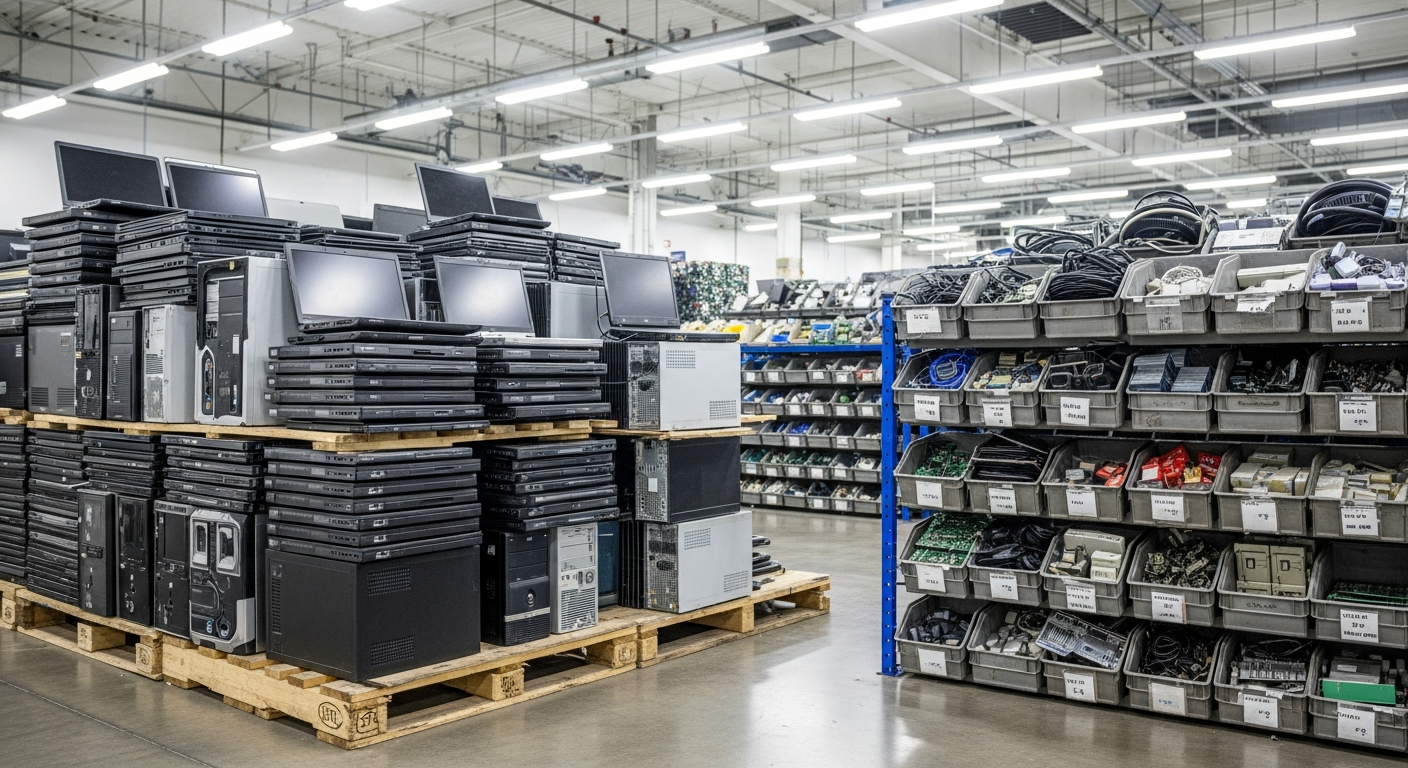
Computer Recycling in Denver, CO
Retiring a laptop and desktop fleet from a Denver office? Precision E-Cycle schedules free pickup from your Denver office for qualifying business volumes, handles each data-bearing drive with methods informed by NIST SP 800-88 at its secure Lincoln, Nebraska facility, and returns records that match your own inventory.
What Does Computer Recycling Cover for Denver Businesses?
Computer recycling in Denver is the documented retirement of business laptops, desktops, all-in-ones, and monitors, with every storage drive sanitized or destroyed before the hardware is recycled. Precision E-Cycle provides it for Denver IT asset managers and facilities teams, with scheduled Denver pickup and processing at its secure Lincoln, Nebraska facility.
For IT asset managers, the hard part of a Denver endpoint refresh is closing each retired laptop and desktop in the asset system with proof of what happened to its drive. Colorado adds a scope question: its definition of covered electronic devices leaves out some devices that are part of equipment designed for commercial, industrial, medical, government, and research settings.
What a Documented Computer Project Gives a Denver IT Team
An asset system that closes cleanly
A transfer record matched to your inventory, plus the destruction documentation agreed in the project review, lets IT retire each Denver endpoint in the asset system instead of leaving it listed as unaccounted for.
Evidence for a Colorado disposal policy
Colorado requires covered entities to keep a written policy for disposing of documents that contain personal identifying information. Destruction records show how that policy reached your retired computers, while the policy itself stays with your organization.
Security effort where the data was
Sorting monitors, keyboards, and cables away from drive-bearing machines keeps sanitization attention on the laptops and desktops that actually held customer, staff, or patient data, and keeps the paperwork focused on those units.
Request Service
Ready to Recycle?
Pickup is free for qualifying business volumes. Schedule yours or contact us with questions.
Related Services
How a Denver Computer Recycling Project Moves, Step by Step
Scope the refresh batch
Export the laptops, desktops, and monitors leaving each Denver site from your asset system, then mark the machines that stored customer, employee, or patient records. That marked export becomes the working inventory every later step is checked against.
Hold the project review
The review confirms which items are accepted, the pickup plan for your Denver sites, which is free, and which records you will receive. Open questions such as CRT monitors, loose batteries, or the fields on serialized reports are settled before anything is packed.
Count and transfer custody
Computers are counted against your inventory at the Denver dock and leave under a transfer record signed by your site contact. Because the batch is processed in Lincoln, that signature marks the point where your custody of the equipment ends.
Sanitize, recycle, and report
In Lincoln, units are serial-logged at intake, and each drive is sanitized or destroyed with a method matched to its media type and the sensitivity of the data it held. The hardware then moves to R2-certified downstream processors, and the agreed records come back for your asset file.
What Denver Computer Recycling Involves and the Records You Keep
A business computer disposal project is really two jobs running on one inventory. The first is data: every internal drive, loose drive, and external drive in the Denver batch is sanitized or destroyed. The second is materials: the hardware moves on to R2-certified downstream processors so metals, plastics, and circuit boards are recovered for recycling.
Which computers in a Denver refresh batch hold data?
That top tier carries extra weight in Denver's healthcare sector. According to UCHealth's FY2024 Metro Denver fact sheet, the system reports 14,815 employees and 830 available beds at University of Colorado Hospital, and the clinics, vendors, and billing offices around systems like it retire laptops that may have touched patient records.
IT asset managers usually expect each flagged machine to show up on the pickup count and again on the destruction record for the batch. When both entries trace back to the same inventory line, the audit trail for that laptop or desktop is complete.
What stays out of the recycling batch
Classification also settles what a Denver batch is not. Machines slated for redeployment, due back to a lessor, or held for litigation should come off the list before the project review. That way the transfer record covers only equipment that is actually leaving your organization's ownership.
Storage to flag inside retired Denver computers
- Hard disk drives (HDDs) in desktops, towers, and older laptops
- Solid state drives (SSDs), including NVMe and M.2 modules
- Multiple drives or RAID sets inside engineering workstations
- USB flash drives and memory cards left in ports and drawers
- External hard drives used for local backups
Each storage type gets its own inventory line because the sanitization method is matched to the media type. Listing an SSD from a thin laptop apart from a spinning drive in a tower lets the project review settle how each one is handled and recorded.
Records to request before the first pallet leaves
- A signed transfer record that matches the pickup count by device type
- A certificate of destruction covering the data-bearing units
- The sanitization method for each media type, as agreed in the project review
- Serialized reporting in the fields and format your auditors need, as agreed in the project review
- Confirmation that recycled material went to R2-certified downstream processors
Name these records at the start rather than after pickup. Certificate fields and the format of serialized reporting are agreed in the project review, so what comes back matches what your auditors, insurers, or clients expect.
What a Denver certificate of destruction should record
The transfer record and the certificate answer different questions. The transfer record shows what left your Denver site and who signed for it, while the certificate shows what happened to the data-bearing units afterward. Anyone reviewing a Colorado disposal policy will usually want both, tied to the same inventory.
See the full list of accepted equipment
Is the Denver office move retiring more than computers? When the same clear-out also takes printers, phones, and mixed office electronics, that wider scope can be planned alongside the computer batch.
Denver e-waste recycling for mixed office electronics
Key takeaway
Sort the batch by storage and sensitivity first, because the pickup count, the destruction record, and your asset system all depend on that one list.
Which Colorado Rules and Standards Shape a Denver Computer Project?
Two Colorado statutes come up in almost every Denver computer retirement, and neither is as broad as it is often described. One governs where covered electronic devices may be disposed of. The other governs how certain organizations dispose of documents containing personal identifying information.
The Colorado Electronic Recycling Jobs Act
Scope check
The Electronic Recycling Jobs Act, C.R.S. 25-17-301 to 308, restricts landfill disposal of covered electronic devices in section 25-17-303, subject to county exceptions. The definition in section 25-17-302 excludes some devices that are part of equipment designed for commercial, industrial, medical, government, and research settings.
A standard office laptop is usually a simple case. A computer built into a production line, a lab instrument, or medical equipment may sit under that exclusion, so confirm scope before making a legal statement about a specific item.
Because the City and County of Denver is a consolidated government, the county exception question for a Denver address points to one local government, while a suburban office answers to its own county. A multi-site project may therefore need a county check for each address.
Manufacturing electronics recycling in Denver
Colorado's disposal statute for personal identifying information
Colorado's C.R.S. 6-1-713 applies to covered entities that keep paper or electronic documents containing personal identifying information. Those entities need a written disposal policy and must destroy, or arrange destruction of, those documents once no longer needed, subject to other law. It is not a blanket device rule, yet a laptop full of employee files often tests that policy.
NIST SP 800-88 and how a method is chosen
- Methods are informed by NIST SP 800-88 Rev. 2, the current revision, published in September 2025
- The method is matched to each media type and the data sensitivity you report, not applied as one method for the whole batch
- Section 3.1 cautions that pulverizing and shredding some storage media should be avoided for anything but the lowest security categories of data
- Under the current revision, degaussing "is not considered an approved destroy sanitization technique"
- Section 4.6 covers sanitization documentation, which is why certificate fields are agreed in the project review
NIST SP 800-88 is a guideline rather than a certificate, so Precision E-Cycle applies methods informed by NIST SP 800-88. It gives your IT and compliance staff a shared reference for asking how each drive was handled and what evidence came back.
How the statutes and the standard fit together
In practice, the Colorado statutes shape whether and why a Denver organization acts, and NIST SP 800-88 informs how Precision E-Cycle handles each drive. A covered entity's written policy can reference the guideline and name the records it expects back, which turns the project review into a check against that policy.
Denver data destruction for drives pulled from service
Precision E-Cycle holds ISO/IEC 27001:2022 for information security management, ISO 14001:2026 for environmental management, ISO 9001:2015 for quality management, and ISO 45001:2018 for occupational health and safety. Those certifications describe how Precision runs its own operations. They support, rather than replace, the disposal duties your organization carries under Colorado law.
See Precision's ISO certifications
Key takeaway
Treat the Colorado landfill rule as a device by device scope question and the disposal statute as a policy question, then use NIST SP 800-88 to decide how each drive is handled.
How Should Denver Computers Be Prepared, and What Happens on Pickup Day?
Preparing Denver computers for pickup is mostly an inventory exercise, finished before anyone stages a pallet. For a multi-site organization, the inventory is where most of the work sits.
Build the inventory the pickup is counted against
- Asset tag and serial number for each laptop, desktop, and all-in-one
- Make, model, and device type, with monitors listed separately
- Whether each unit holds a drive, plus any loose or external drives
- A sensitivity flag for machines used with employee, customer, or patient records
- The Denver site, floor, or suite each unit is leaving from
Leave drives inside their machines unless your own policy requires removal, since a drive that travels in its host is easier to match to a serial number. Set aside any unit under a legal hold or waiting to be reimaged for redeployment, so it does not leave with the recycling batch.
Are remote staff shipping laptops back to a Denver office? Check each one into the inventory as it arrives, because those units are the most likely to reach the staging area without a serial record or a sensitivity flag.
Pickup day at a Denver site
Public employers bring their own rules to pickup day. Federal tenants at the Denver Federal Center in Lakewood, for example, may follow agency property disposal procedures, so raise any agency, building access, or escort requirements in the project review.
Sizing the batch and planning refresh waves
A Denver refresh rarely happens in a single day. Multi-site organizations often prefer one pickup and one transfer record per site or department, so each wave closes separately in the asset system. Smaller waves can be combined with a later one in the project review, so every wave has a pickup plan.
How do Denver computers reach Precision? Denver and Front Range businesses schedule pickup, and Precision processes the computers at its secure Lincoln, Nebraska facility. Each unit is then serial-logged at intake in Lincoln and reconciled against the count signed at the Denver dock.
Our Denver sales office at 999 18th St, Denver, CO 80202 handles local project inquiries and pickup coordination, while all computer processing happens at our Lincoln, Nebraska facility.
Denver ITAD for projects that reach beyond computers
Key takeaway
A Denver pickup runs smoothly when the inventory, the staged batch, and the signed transfer record all describe the same set of machines. Request a free quote for your Denver refresh today.
Denver Computer Recycling Questions From Business Buyers
Request Service
Ready to Get Started in Denver?
Get a free quote or send us a message about your project, and we scope pickup and documentation around your site.