How to Find Reliable PC Recycling Centers Near You: Certified Options, Secure Data Destruction, and Free Drop-Offs
PC recycling means responsibly diverting old computers, laptops, monitors, and peripherals from landfill while recovering valuable materials and protecting personal information. Current estimates show e-waste volumes continue to rise, so finding certified, secure options locally matters both for environmental protection and data privacy. This guide explains where to locate certified PC recycling centers, how to confirm certifications and secure data destruction, and where free drop-offs are commonly available, with practical checklists and verification language you can use. You will learn step-by-step approaches for software wiping, when physical hard drive destruction is needed, and how to handle restricted items or hazardous components safely. The article also covers what recyclers typically accept, how materials are recovered into supply chains, the regulatory landscape including Extended Producer Responsibility (EPR) effects, and how businesses can arrange bulk pickups and IT asset disposition (ITAD) services. Throughout, use-case examples, semantic guidance, and clear lists make it simple to act confidently when searching for “PC recycle near me” or “computer recycling near me.”
Where Can I Find Certified PC Recycling Centers Near Me?
Finding certified PC recycling centers starts with using location tools and verifying certifications to ensure secure data handling and environmentally responsible processing. Certified facilities follow documented chain-of-custody practices, use approved processing methods, and often provide certificates for data destruction and final disposition. The benefit is twofold: you reduce the risk of data breaches and you ensure hazardous materials are managed according to best practices, which protects workers and downstream communities. Below we outline practical ways to find local centers, what to expect from different provider types, and how to vet a recycler before you drop off or schedule a pickup.
How to Use Online Recycling Locators to Find Local Centers
Online recycling locators help pin down local options quickly by searching with your zip code and material filters like “computers” or “monitors,” returning nearby drop-off points, events, and certified recyclers. Start by entering your postal code, selecting electronics or computer categories, and filtering results for service type (drop-off, pickup, mail-back) and certifications when possible. Review result details for accepted items, fees, hours, and any notes about data destruction; these fields often indicate whether providers offer certified destruction services or only material recovery. When a listing lacks clear certification info, call or ask for documentation before leaving devices, which helps avoid handing over equipment to an uncertified source.
What Are the Major Retailer Electronics Recycling Programs?
Retailer recycling programs typically accept a range of small electronics and computers through in-store drop-off or trade-in, often prioritizing convenience but sometimes limiting item types or sizes. Retail programs can be free for small items but may restrict televisions by size or charge for larger appliances, and they rarely guarantee onsite data destruction unless explicitly stated. Before using a retailer program, check whether they endorse certified downstream recyclers, ask how data-bearing devices are processed, and request documentation if you require proof of destruction. Knowing these typical retailer policies helps you choose between a convenient drop-off and a certified recycler that provides stronger data-security assurances.
Which Local Government and Non-Profit Options Offer PC Recycling?
Municipal solid waste agencies, county events, and nonprofit refurbishers often run seasonal e-waste collection events and ongoing drop-off sites that accept computers and peripherals, sometimes offering refurbishment or donation paths for working devices. These community options can be free or low-cost and may prioritize reuse through nonprofit refurbishers that reset and donate devices to eligible households, providing social benefit alongside waste diversion. Check your local government’s waste or environment pages for event calendars, residency rules, and pre-registration requirements, and ask nonprofits about data sanitation standards and eligibility criteria for donations. Using municipal and nonprofit channels can combine cost-effectiveness with community impact when you verify proper data-handling practices.
How to Identify R2 and e-Stewards Certified Recycling Facilities
R2 and e-Stewards certifications indicate adherence to documented environmental and data-security standards; R2 emphasizes responsible recycling practices and downstream vendor management, while e-Stewards focuses on preventing export to improper processing and stricter environmental controls. To verify certification, request the recycler’s current certificate name and issuing body, ask for proof of active status, and confirm the facility appears in the certifier’s public registry when available. Sample verification questions include asking about chain-of-custody procedures, downstream vendor screening, and whether the facility provides certificates of data destruction with serial numbers. Confirming these details reduces risk and ensures your recycled devices are handled within regulated, auditable systems.
This comparison highlights the key differences and benefits of these prominent certifications in the electronics recycling industry.
Comparing e-Stewards and R2 Certifications for Electronics Recycling
Comparisons of e-Stewards and R2: Insights on business and environmental benefits
Comparisons of e-Stewards and R2: Insights on business and environmental benefits, 2011
| Provider Type | Typical Service & Certification | Notes |
|---|---|---|
| Retail take-back | In-store drop-off; variable downstream certs | Convenient; verify data policies and item limits |
| Municipal collection | Event-based or ongoing drop-off; public oversight | Often free; check residency and pre-registration rules |
| Certified recycler | Material recovery, data destruction; R2/e-Stewards/NAID | Best for secure handling and audit trails |
| Nonprofit refurbisher | Refurbish and donate; may offer data wiping | Social benefit; confirm data sanitation standards |
What Are the Free Computer Recycling Options Available Near You?
Free computer recycling options typically include municipal collection events, nonprofit refurbishers accepting working devices for donation, and some retailer take-back programs that accept small electronics at no charge. These channels lower barriers for consumers to recycle devices and often increase reuse rates by directing working equipment to refurbishers and eligible households. The trade-offs are that free programs can impose item-size restrictions, require proof of residency, or exclude hazardous components like batteries and large CRTs. Below are practical sources and tips to identify free options and prepare devices for drop-off to ensure a smooth, secure recycling experience.
Where to Find Free E-Waste Drop-Off Locations and Events
Municipal environmental services and county waste departments maintain schedules for free e-waste collection events and permanent drop-off centers, which are commonly listed on local government calendars and community bulletins. Registration or proof of residency is often required, so verify event rules and transport recommendations—secure packaging, vehicle loading tips, and whether staff will help unload heavy items. Prepare devices by removing batteries when possible and completing data-wiping steps, or request a certified destruction option if available at the event. Using municipal events maximizes recycling access, but always confirm accepted items ahead of arrival to avoid refusals or unexpected fees.
How Do National Electronics Recycling Programs Support Free Recycling?
National manufacturer and retailer programs fund take-back and mail-back initiatives that increase collection capacity and sometimes subsidize local drop-offs, enabling free recycling for many consumers through coordinated logistics and producer responsibility mechanisms. These programs can augment municipal services and nonprofit efforts by providing structured collection pathways, though they may impose size or quantity limits and require in-person drop-off at participating locations. Understand program terms—some accept only certain brands or device types—and plan accordingly if you rely on a national program for free disposal. National initiatives often improve convenience, but local verification of accepted items and data-handling remains essential.
Are There Restrictions on Items Accepted at Free Recycling Centers?
Free recycling centers frequently exclude items that require specialized handling—CRT televisions, certain batteries, and large appliances—because these streams involve hazardous materials or high processing costs that exceed standard program budgets. When an item is restricted, providers often direct you to specialty handlers or paid drop-off options that can safely manage hazardous components. Knowing common exclusions helps you plan: separate batteries, pack peripherals, and identify alternate paths for large or hazardous items before you travel to a free event. Preparing ahead reduces the chance of extra fees or refused items, and helps you choose the right destination for each device.
How Can I Ensure Secure Data Destruction Before Recycling My PC?
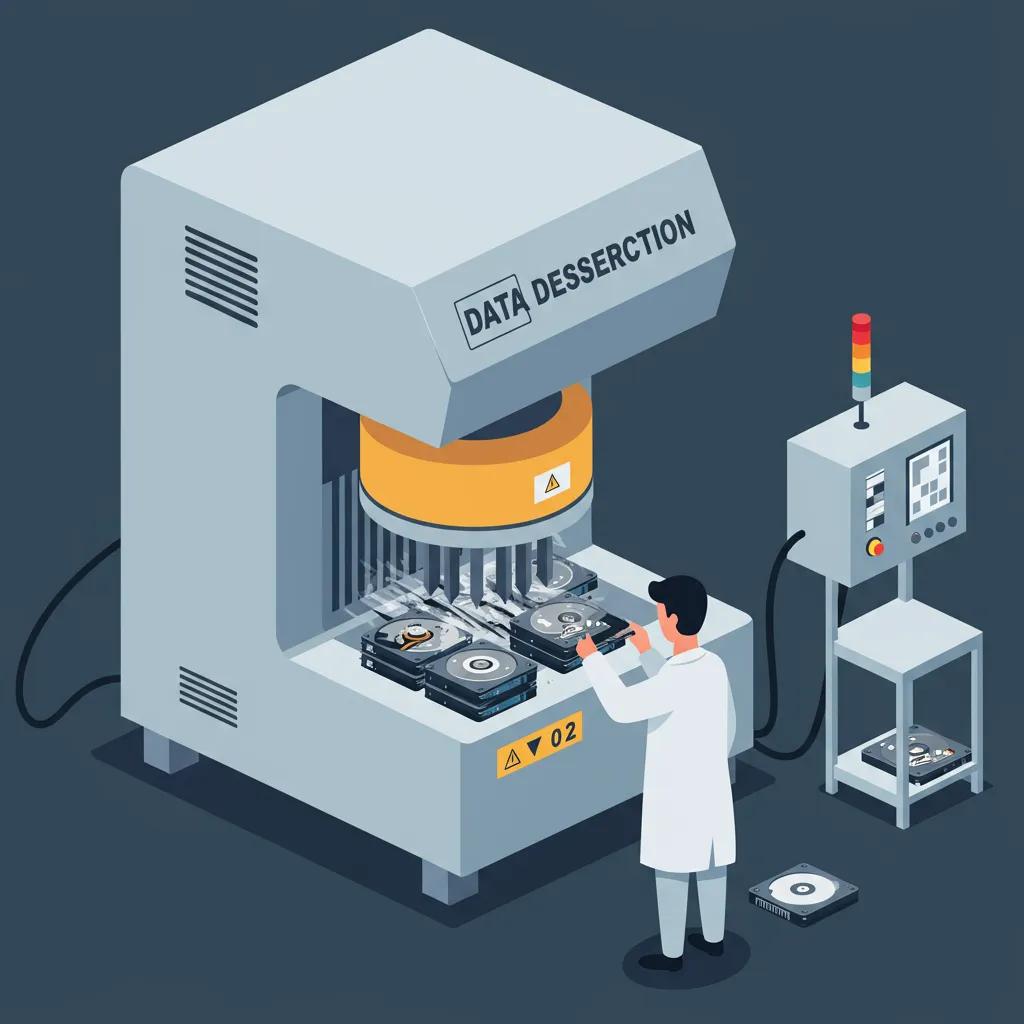
Secure data destruction protects personal and corporate information by rendering storage media unreadable, either through verified software erasure, degaussing, or certified ITAD services that provide documentation. The mechanism matters: software wiping overwrites data, suitable for many HDDs and some SSD scenarios when done correctly, while physical destruction or certified destruction services provide irreversible disposal for high-risk or regulated data. Ensuring secure data destruction reduces identity theft risk and helps meet compliance obligations; below we cover software wiping, when to opt for physical destruction, how to find certified services, and what certificates should include.
What Are the Best Methods for Software Data Wiping on PCs?
Software data wiping overwrites storage with patterns to prevent file recovery and is effective when matched to drive type and threat level; standard practice involves using reputable utilities that support secure erase algorithms and generate logs for verification. For traditional HDDs, multi-pass overwrites can reduce recovery risk, while modern guidance often recommends industry-standard single-pass secure erase when the tool targets physical sectors; for SSDs, use manufacturer tools or ATA Secure Erase commands because overwriting may not reliably target all cells. After wiping, verify by attempting to boot from the drive or using third-party recovery checks, and store wipe logs as proof if documentation is needed. Proper wiping reduces the need for physical destruction in many consumer cases, though regulated or high-risk data may still require physical methods.
When Should I Choose Physical Hard Drive Destruction?
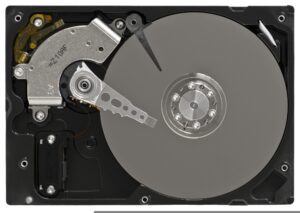
Physical destruction—shredding, degaussing, or crushing—becomes necessary when devices contain high-risk data, regulatory obligations demand irreversible destruction, or when drives are damaged and cannot be software-wiped reliably. Degaussing works for magnetic media like HDDs by disrupting magnetic fields, while shredding or pneumatic destruction provides physical fragmentation that prevents reconstruction for both HDDs and many SSDs when designed for solid-state devices. Choose physical destruction when compliance standards require verifiable destruction or when chain-of-custody cannot be guaranteed; request a destruction certificate listing serial numbers and methods. Knowing when to escalate to physical destruction helps organizations meet legal and contractual obligations for data hygiene.
How to Find Certified Data Destruction Services at Recycling Centers
Locate recyclers that offer certified data destruction by asking whether they hold relevant credentials for information security, maintain documented chain-of-custody practices, and provide onsite or offsite destruction with auditable records. Ask for NAID-style controls, sample certificate templates, and whether destruction is witnessed or verifiable with serial-number tracking. Confirm the method offered (software wipe, degauss, shred) matches your data-risk profile and request proof of destruction before accepting the service as complete. Verifying these elements gives you confidence that devices are handled securely from drop-off through final disposition.
Do Recycling Centers Provide Data Destruction Certificates?
Reputable recyclers and ITAD providers typically issue data destruction certificates that include critical elements—date of destruction, method used, device identifiers such as serial numbers, quantity destroyed, and the provider’s authorized signature—to support audits and compliance. Certificates serve as legal evidence for businesses and individuals who need to demonstrate that sensitive media were destroyed according to policy or regulation, and they should be stored alongside other disposition records. If a provider cannot produce detailed certificates, request additional chain-of-custody documentation or choose a different service. Retaining certificates protects you against future claims and supports responsible asset-management practices.
Understanding the nuances of ITAD services is crucial for businesses to effectively manage their retired IT assets while ensuring data security and environmental compliance.
IT Asset Disposition Services: A Green Solution for Data Security and Environmental Compliance
IT asset disposition services aim to maximize the value of the IT asset investment of enterprises over its entire lifecycle while guaranteeing data security and protecting against environmental liability. The purpose of this paper is to introduce the practice of IT asset disposition services in the United States, and more specifically, the processes used to accomplish the three key objectives in IT asset disposition: 1) data security and protection, 2) environmental responsibility and compliance, and 3) asset value recovery.
IT asset disposition services: A green solution for the enterprise, S Schiller, 2011
| Data Destruction Method | Effectiveness / Cost | Recommended Use Case |
|---|---|---|
| Software wipe (secure erase) | High for HDDs when logged; moderate for SSDs; low cost | Consumer and many business devices without regulated data |
| Degaussing | Very effective for magnetic media; moderate cost; not for SSDs | When devices hold regulated magnetic media and physical drives will be scrapped |
| Physical shredding/crushing | Irreversible; higher cost; works for SSDs & HDDs when designed for solid state | High-risk data and regulatory destruction requirements |
| Certified ITAD service | High effectiveness with documentation; variable cost | Corporate bulk disposition and audit-required scenarios |
What Types of Electronics Can I Recycle at PC Recycling Centers?
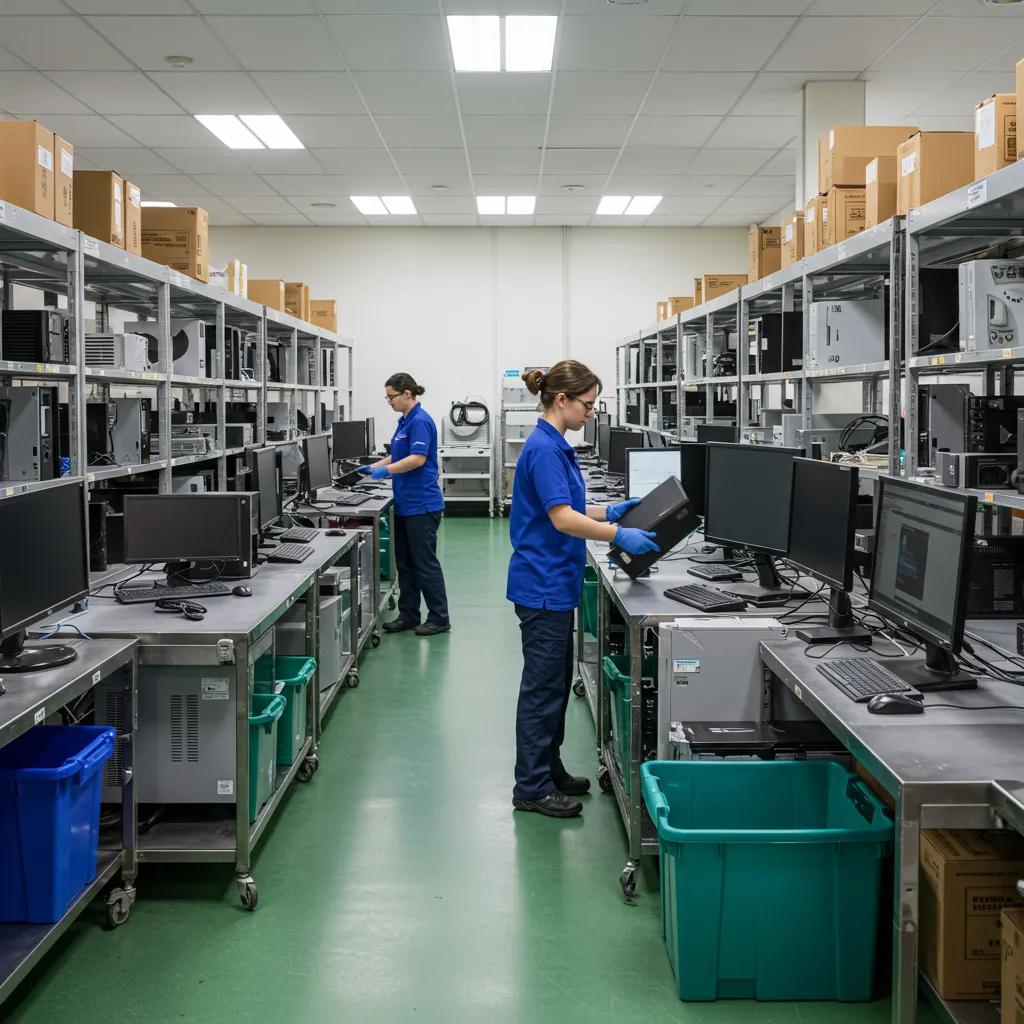
PC recycling centers accept a broad range of computer-related electronics—desktops, laptops, monitors, keyboards, mice, power supplies, and often printers and small networking gear—while some items may be excluded or require special handling. Recyclers separate devices into streams for refurbishment, material recovery, and hazardous component management, recovering valuable metals and safely diverting toxins from the environment. Understanding accepted items and hazardous components helps you sort and prepare equipment before drop-off and determines whether a device needs special handling or a paid service. The next subsections list common accepted components, hazardous materials found in electronics, and how recyclers recover valuable materials.
Which PC Components and Peripherals Are Commonly Accepted?
Most PC recycling centers accept desktops, laptops, monitors (subject to type and size), keyboards, mice, power adapters, cables, and external drives; some centers also accept printers and scanners but may limit large items or CRT monitors. Prepare items by removing personal storage where possible, disconnecting batteries if required, and bundling cables to simplify processing. Note that certain peripherals—like proprietary medical devices or items with mercury—may be excluded and require specialty handlers. Checking accepted-item lists before you travel saves time and prevents surprises at drop-off.
What Hazardous Materials Are Found in Old PCs and How Are They Handled?
Old PCs contain hazardous substances such as lead (in solder and CRT glass), mercury (in some display components), cadmium (in batteries), and certain flame retardants; these materials require controlled handling to prevent environmental release and worker exposure. Certified recyclers segregate hazardous streams, use engineered controls for safe processing, and contract downstream facilities licensed to treat or stabilize these materials. Proper handling reduces health risks and legal liabilities while enabling safe recovery of non-hazardous fractions. Awareness of hazardous streams helps you understand why some items are restricted and why certified processing matters.
How Are Valuable Materials Recovered from Recycled Electronics?
Recyclers employ mechanical separation, shredding, and higher-level metallurgical or chemical recovery methods to reclaim copper, aluminum, precious metals like gold and palladium, and rare earth elements, converting end-of-life electronics into feedstock for new manufacturing. Mechanical processes separate plastics and metals, while smelting and chemical treatments recover trace metals at scale; these recovered materials re-enter supply chains, reducing demand for virgin mining. This material recovery supports the circular economy by turning waste into resources, lowering environmental impact, and creating economic value from what would otherwise be discarded.
Why Is Choosing a Certified PC Recycling Center Important?
Choosing a certified PC recycling center ensures adherence to environmental, health, and information-security standards that protect people and ecosystems while providing verifiable records of disposition. Certifications set minimum operational standards, verify downstream vendor management, and reduce the risk of illegal exports or improper handling of hazardous materials. Certified centers also support higher material-recovery rates and safer processing. The following subsections define key certifications, explain their role in the circular economy, and outline the risks of using non-certified recyclers.
What Do R2, e-Stewards, and NAID AAA Certifications Mean?
R2 certification focuses on responsible recycling practices, vendor management, and worker safety; e-Stewards emphasizes strict environmental controls and prohibits export to improper processors; NAID AAA covers information destruction and chain-of-custody controls for secure destruction of data-bearing media. Each certification addresses overlapping but distinct risks—environmental processing, data security, and global downstream compliance—so knowing which certifications a recycler holds helps match services to your priorities. When seeking a recycler, ask which certs they maintain and how those standards apply to your devices for clarity on both data and environmental safeguards.
How Do Certified Centers Support the Circular Economy and Environmental Protection?
Certified centers improve material recovery rates, reduce hazardous disposal, and ensure that recovered materials are returned to manufacturing streams responsibly, which conserves resources and lowers the environmental footprint of electronics production. By maximizing reuse through refurbishment and safe recycling of components, certified processes extend product lifecycles and reduce the need for virgin resource extraction. These practices create measurable benefits for resource conservation and community health, reinforcing how responsible recycling feeds circular-economy outcomes and supports long-term sustainability.
What Are the Risks of Using Non-Certified or Illegal E-Waste Recyclers?
Non-certified or illegal recyclers can expose you to data breaches, improper toxic-material handling, and illegal export to processing sites lacking environmental controls, which harms workers and communities and can create legal liabilities for the device owner. Red flags include lack of documentation, vague destruction methods, and offers that seem too good to be true for bulk pickups. Asking targeted questions about downstream vendors, certificates, and the recycler’s documented procedures helps detect risky operators and avoid exposing personal or corporate data to preventable harms.
How Do State and Local E-Waste Regulations Affect PC Recycling Near Me?
State and local e-waste regulations shape what options are available, which items are covered by producer take-back mandates, and what consumer responsibilities exist at the point of disposal. Extended Producer Responsibility (EPR) laws in various jurisdictions require manufacturers to fund or manage end-of-life collection, changing where and how free recycling is offered. Local rules also define restrictions, fees, and residency requirements for drop-offs. The next subsections define EPR, show how to find state-specific programs, and outline typical consumer duties under local laws.
What Are Extended Producer Responsibility Laws and How Do They Impact Recycling?
Extended Producer Responsibility (EPR) laws shift financial and logistical responsibility for end-of-life electronics from municipalities to manufacturers, incentivizing product designs that facilitate repair and recovery and increasing accessible collection options in many areas. EPR programs typically require registered producers to fund collection systems or work with certified recyclers, expanding free or subsidized recycling availability for covered devices. For consumers, EPR can mean more convenient options and lower local costs, but program scope varies by state and product category, so confirm your device’s coverage before assuming free disposal.
How Can I Find State-Specific Electronics Recycling Programs?
State environmental agency pages and EPR registries are authoritative starting points to identify programs, registrants, and official guidance on covered devices, while national aggregator tools can help with zip-based searches for collection points and program summaries. Search by state program name or “electronics recycling” combined with your state to find official pages that list covered items, participation requirements, and program contacts. Using these official resources helps ensure you follow current rules and access the most relevant local options for PC recycling.
This table provides a simplified overview of how different states might implement electronics recycling programs, guiding residents on how to participate.
Enterprise IT Asset Disposition: Maximizing Value and Ensuring Data Security
Enterprise IT Asset Disposition (ITAD) addresses the recovery and recycling of an enterprise’s IT assets that are near or at the end of their lifecycle. The aim of ITAD is to maximize the value of investment over the IT asset’s entire lifecycle while guaranteeing data security and protecting against environmental liability. Regulatory requirements mandate specific disposal methods for computing assets, and enterprises face significant risks if they fail to comply. Despite the critical importance of ITAD, many enterprises lack a clear understanding of ITAD and its regulations and struggle with the management of ITAD processes. One solution to this challenge is the ITAD service provided by third-parties that can deliver effective and proper disposition services, and more importantly help enterprises maximize the potential value recovered from IT assets.
Enterprise IT asset disposition: An overview and tutorial, S Schiller, 2016
| State (Example) | Program Type | Action for Residents |
|---|---|---|
| State A | EPR take-back program | Check producer list and drop-off locations |
| State B | Municipal collection | Register for scheduled events |
| State C | Retail drop-off | Confirm item limits and retailer participation |
What Are the Consumer Responsibilities Under Local E-Waste Laws?
Consumers are typically responsible for preparing devices—removing batteries when required, wiping or securing data when possible, and confirming accepted items and any applicable fees or residency rules—prior to drop-off or collection. Some programs require proof of residency or restrict commercial quantities, so check local directives before transporting multiple devices. Keeping a checklist of preparation steps and documenting actions taken (wipes, certificates) streamlines compliance and protects you if proof of proper disposal is later requested. Clear consumer preparation reduces friction at drop-off and helps ensure devices are processed correctly.
How Can Businesses and Individuals Access Bulk and Corporate PC Recycling Services?
Businesses and individuals needing bulk disposition should understand IT Asset Disposition (ITAD) services, which provide inventory, secure data sanitation, remarketing, and certified destruction with audit-ready documentation. ITAD providers offer pickup logistics, chain-of-custody tracking, and certificates that meet audit requirements, making them the preferred route for companies with compliance obligations. Below we define ITAD services, outline steps to arrange bulk recycling and secure data destruction, and identify options for eligible individuals seeking low-cost or free recycling.
What Are IT Asset Disposition Services and How Do They Work?
ITAD services manage the full lifecycle of retired IT assets: inventory and valuation, secure data removal or destruction, refurbishment and remarketing of viable equipment, and final recycling of non-sellable material, all supported by documentation and audit trails. The process typically begins with an onsite or remote audit, moves through secure transport and processing, and ends with disposition certificates and optional resale reporting. ITAD providers add value by recovering residual asset value while ensuring regulatory compliance and traceable chain-of-custody for high-risk data-bearing equipment.
How to Arrange Bulk PC Recycling and Secure Data Destruction for Businesses
To arrange bulk recycling, start with a pre-audit and inventory, classify assets by data risk and reusability, request service-level commitments (timeline, certificate contents), and require chain-of-custody and downstream vendor disclosures before work begins. Ask providers for sample certificates, insurance coverage details, and references for similar corporate projects, and schedule secure pickups with witnessed destruction if required. Clear contractual language about data-handling responsibilities and certificate retention ensures audit readiness and minimizes compliance risk during large-scale asset disposition.
Steps to arrange bulk recycling:
- Inventory Assets: Create a detailed list of devices, serial numbers, and data classification.
- Define Requirements: Specify destruction methods and certificate elements required.
- Select Provider: Verify certification, insurance, and documentation capabilities.
- Schedule Pickup: Arrange logistics, witness options, and chain-of-custody tracking.
A short checklist like this helps procurement teams move from planning to execution with confidence.
Are There Free or Discounted Recycling Options for Eligible Individuals?
Some nonprofits and municipal programs provide free or discounted recycling to eligible individuals, often targeting low-income households, students, or community organizations through refurbishment initiatives or subsidized collection programs. Eligibility criteria and application steps vary—common routes include nonprofit programs that accept donations for refurbishment or municipal voucher systems that cover disposal fees for qualifying residents. Contact local social service agencies or municipality waste programs to learn about available assistance, documentation requirements, and pickup or drop-off procedures for eligible participants.
This article provides the essential tools you need to locate and verify reliable PC recycling centers, secure your data effectively, navigate local regulations, and arrange both single-device and bulk recycling with confidence. Use local locators, ask certifying questions, prepare devices before drop-off, and request certificates for data destruction to protect yourself and the environment.